How to Print Labels Like a Pro: From Design to Final Print
 Rodger Struck
 4 min read
 Aug 04, 2026
Labels play an important role in the recognition of your brand. A well-designed label not only provides information about the product but also speaks for your brand and helps your product stand out in the market.
Businesses need to review many factors when considering label printing, such as label purpose, artwork preparation, and quality checks. A tiny mistake can ruin the appearance of the labels.
Understanding the professional printing process is very important to achieve better results. This complete guide explains how to print labels. In it, you will get to know from preparing your design to choosing the right printing method and avoiding common mistakes.
Understand Your Label Requirements Before Printing
This first step is to understand what your custom labels need to achieve. Every product has different needs, and you have to figure out everything before starting the label printing process.
Before preparing your artwork, consider the following questions:
-
What is the type of product for which you need labels?
-
In what environment will you keep your product?
-
What information needs to be printed on the labels?
-
Will the label face heat, moisture, or frequent handling?
-
How long should the label maintain its quality?
You need to know the answers to help the brand select the right label specification and prevent problems during production.
Inkjet vs. Laser Labels: Which One Should You Choose?
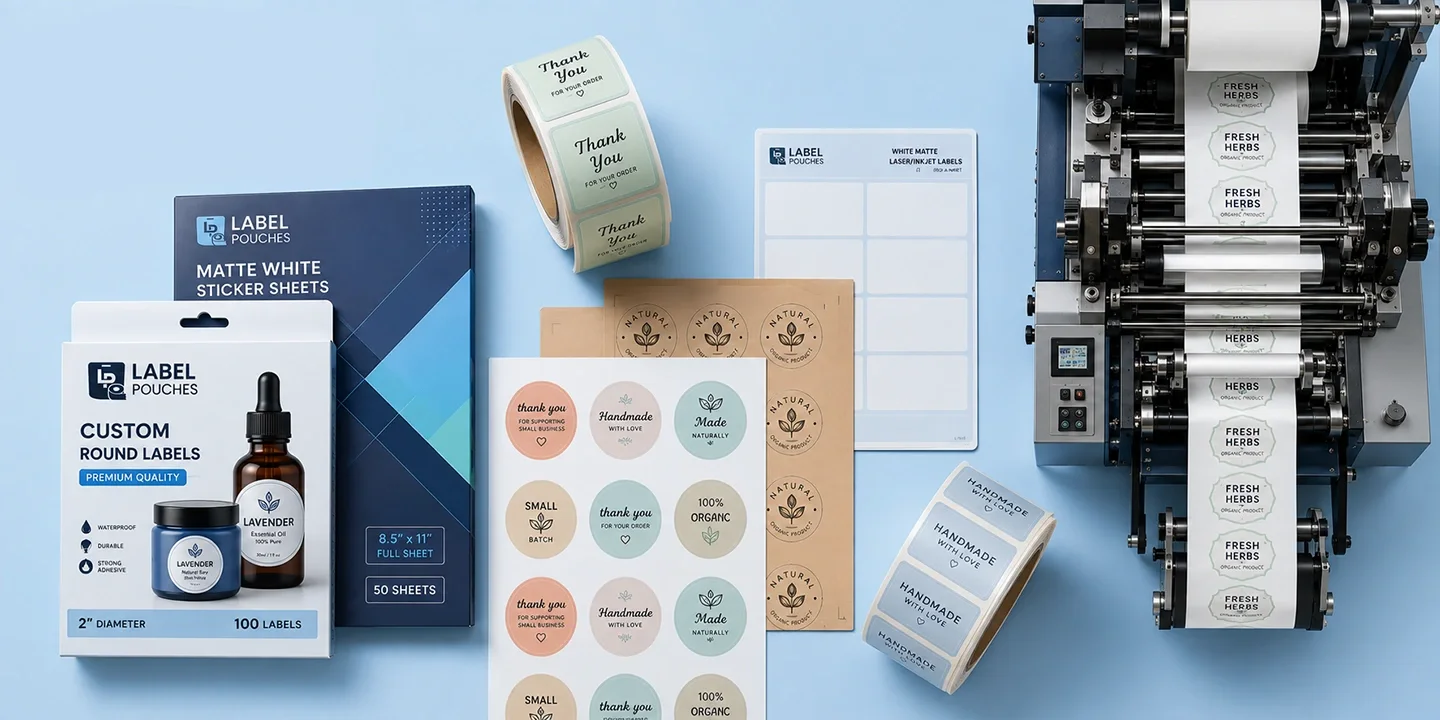
Both printers use different printing methods. Before placing your order, make sure the labels you choose are compatible with your printing equipment or not. Making a bad choice will lead to poor print quality and smudged adhesion. So selecting the right label material helps produce cleaner, sharper, and more durable results.
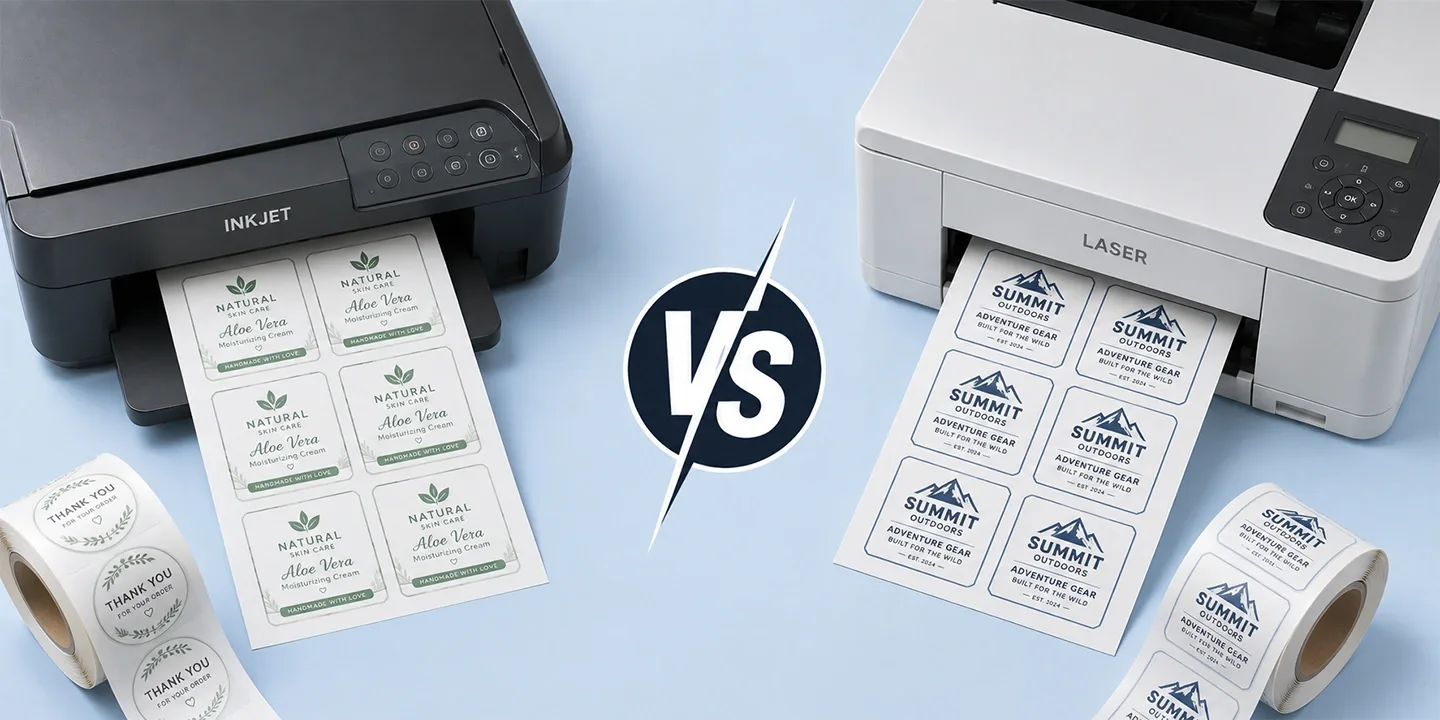
| Inkjet Labels vs Laser Labels: Comparison | ||
|---|---|---|
| Feature | Inkjet Labels | Laser Labels |
| Printing Technology | Liquid ink | Toner fused with heat |
| Best For | Color-rich graphics and images | Crisp text, barcodes, and high-volume printing |
| Label Surface | Absorbent coating for fast ink drying | Heat-resistant face stock and adhesive |
| Print Quality | Excellent for vibrant colors | Sharp, smudge-resistant text and graphics |
| Common Applications | Product labels, promotional labels, retail packaging | Shipping labels, inventory labels, barcode labels, office identification |
When to Choose Inkjet Labels
If you want colorful images and sharp prints, then you can choose this option. These labels are made specially to absorb ink, which helps reduce smudging.
When to Choose Laser Labels
They are a better choice for brands that print barcodes, shipping labels, inventory labels, or large batches of labels. Since laser printers generate heat during printing, these labels are manufactured with heat-resistant materials.
At LabelPouches, we offer blank labels compatible with both inkjet and laser printers, which helps businesses achieve the best print quality in any condition.
Choose the Right Blank Labels for Your Design
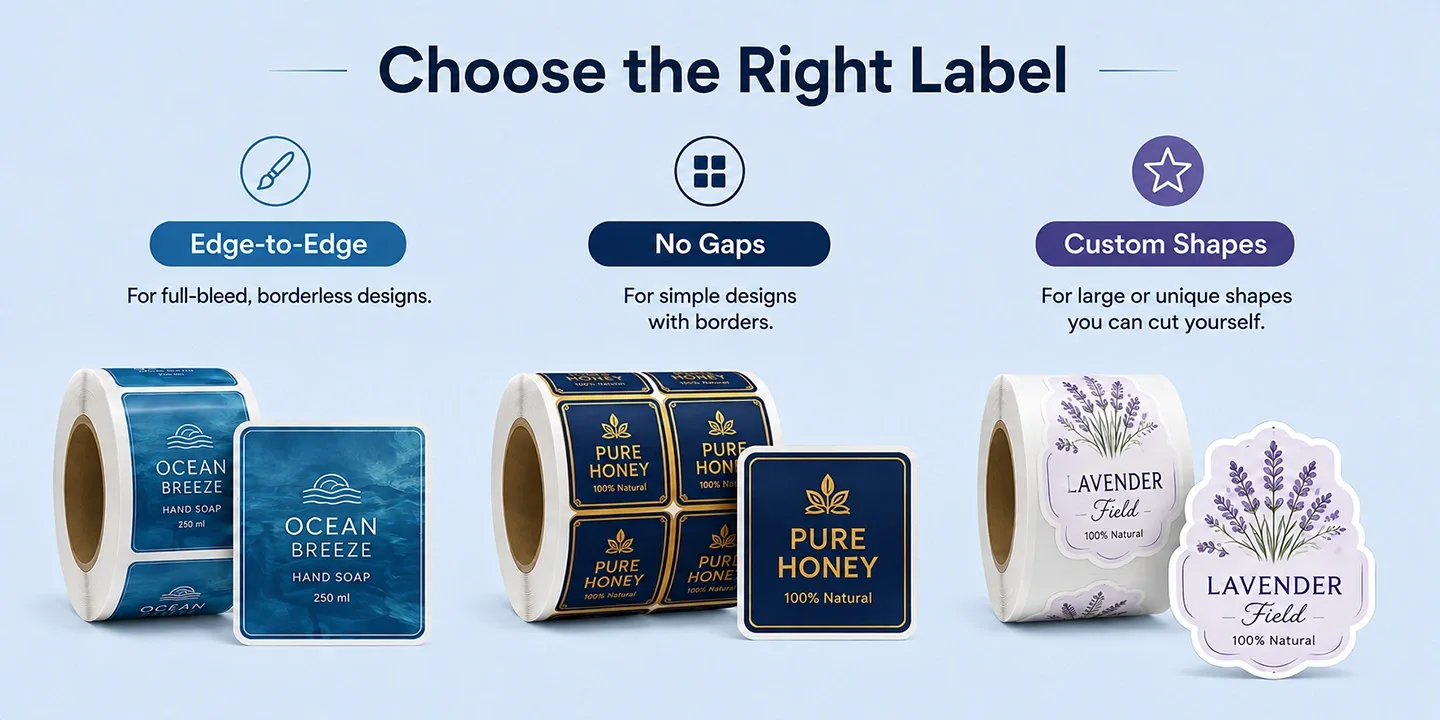
The design of your label can also decide which blank label format will give the best results.
-
Full-bleed designs: Choose print-to-the-edge labels to achieve a clean, borderless appearance if you think artwork extends to the edges.
-
Bordered designs: Labels that have spacing can give you neat, even borders around your artwork.
-
Custom shapes and sizes: You can select full sheet blank labels and die-cut them if you need a unique shape.
Plan Your Label Design Carefully
Creating an eye-catching label design is essential for success. You need to balance branding, readability, and product information on a label.
A professional label design usually includes:
-
Brand logo
-
Product name
-
Product details
-
Ingredients or specifications
-
Barcode or QR code (if required)
-
Regulatory information
-
Contact details
These are important elements, and their correct arrangement matters. The overall design should be clean and attractive even after printing all the important things.
Keep Your Design Simple
A very common mistake businesses make during printing is that they add too many elements on their labels, which makes it difficult to find important information.
Try to follow the given instructions:
-
Use clear fonts
-
Maintain proper spacing
-
Highlight important details
-
Avoid unnecessary graphics
-
Keep your branding consistent
A simple and balanced design often creates a stronger professional impression.
Prepare Your Artwork for Professional Printing
Once you finalize your design, the next step is preparing the artwork. Using the proper file format ensures your labels will be printed accurately without compromising their quality.
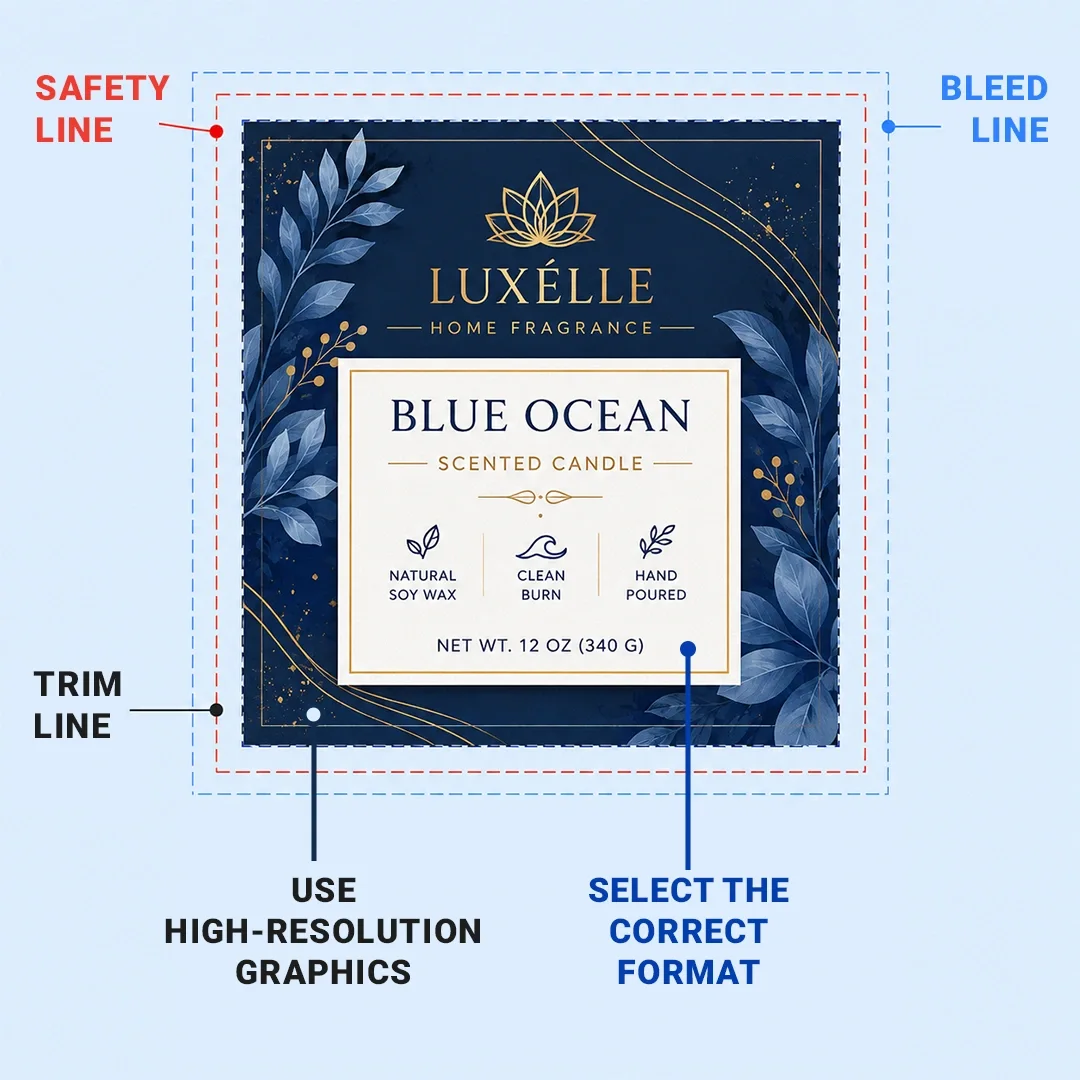
Use High-Resolution Graphics
Images and logos should be high quality so they do not get blurred or pixelated during printing. Professional printing requires clear graphics to maintain their quality.
Select the Correct Color Format
If you do not use the correct color mode, then most probably it will change colors after printing. So you should know that professional printing commonly uses CMYK color mode because it gives exact colors even after printing the labels.
Preparing your artwork with the correct color settings helps maintain consistent results.
Add Bleed and Safe Areas
Bleed is an extra portion of artwork that extends beyond the cutting area. It prevents unwanted white edges after trimming. Leave 0.125 inches (3 mm) of bleed on all sides of your artwork.
The safe area is the space inside the trim line that keeps important information inside it and keeps it away from edges to help reduce the risk of text or a logo being cut off. Keep all important content at least 0.125 inches (3 mm) inside the trim line.
Check Fonts and Text
Small or unclear text can affect label readability. Make sure:
-
Fonts are easy to read
-
Text size is appropriate
-
Spelling is correct
-
Important information is clearly visible
Use a Label Template for Accurate Printing
Preparing artwork by yourself can be irritating sometimes because it leads to sizing or alignment issues. And if you use a template, then your design will match the final label dimensions. Templates make it convenient to place your logos or important information accurately.
When creating your artwork, make sure the template matches:
-
The exact label size and shape
-
Bleed and safe area requirements
-
The spacing between labels (if printing multiple labels on a sheet)
-
The final cutting specifications
At LabelPouches, we can provide artwork guidelines and label templates to help businesses prepare print-ready files that reduce production errors and improve print accuracy.
Select the Appropriate Label Material
Choosing the correct label material is essential for maintaining quality and durability.
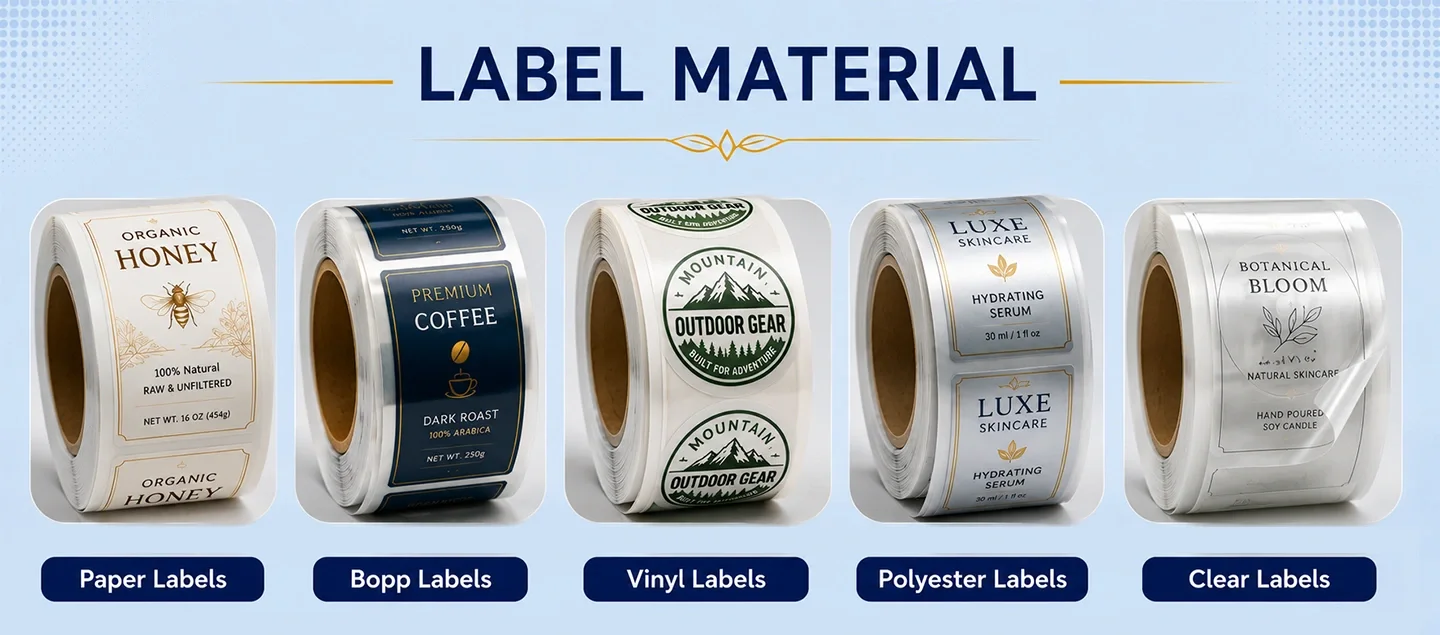
Different materials perform better in different environments.
| Label Materials: Suitable Application & Benefits | ||
|---|---|---|
| Label Material | Suitable Application | Benefits |
| Paper Labels | Retail products and general packaging | Affordable and versatile |
| BOPP Labels | Food, beverage, and cosmetic products | Moisture and oil resistant |
| Vinyl Labels | Products exposed to outdoor conditions | Durable and weather-resistant |
| Polyester Labels | Industrial and long-term applications | Strong and reliable |
| Clear Labels | Premium packaging designs | Creates a transparent effect |
You can only choose material when you have all the required information about your product, and LabelPouches can help you select material according to your product's specifications.
Review a Proof Before Full Production
Reviewing a proof before the whole production run is and impotant step to follow. It allows businesses to check the final look before printing them in large quantities.
During the proof review, check:
-
Color accuracy
-
Text placement
-
Logo appearance
-
Image quality
-
Label size
-
Overall design balance
This step helps identify errors early and prevents costly corrections later.
At LabelPouches, businesses can review their label designs carefully before production to ensure the final result matches their expectations.
Tips for Getting Better Label Printing Results
To improve the quality and effectiveness of your labels, you should follow these professional tips:
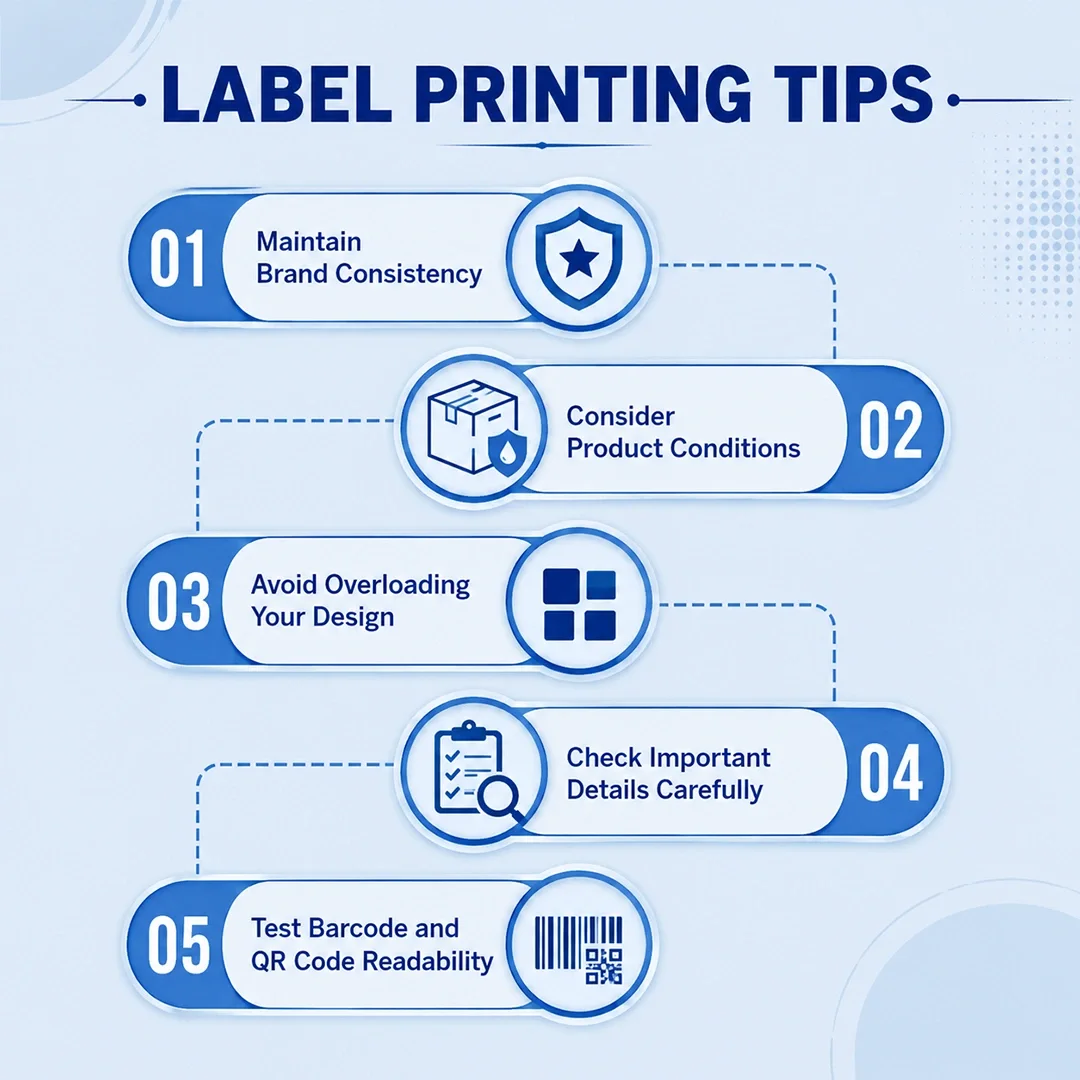
Maintain Brand Consistency
Use colors, fonts, and designs according to your brand’s theme. This will help customers recognize your brand easily.
Consider Product Conditions
Think carefully about where you will store your products before choosing different materials and printing. Some products need more durable options.
Avoid Overloading Your Design
A label should communicate information clearly. Too much text or too many design elements can reduce readability.
Check Important Details Carefully
Before printing, review:
-
Product information
-
Spelling
-
Barcode placement
-
Colors
-
Legal requirements
A final review can prevent production mistakes.
Test Barcode and QR Code Readability
If your labels include a barcode or QR code, make sure they are readable. Otherwise, their poor quality can create problems while scanning them.
Common Label Printing Mistakes Businesses Should Avoid
Many printing issues happen because of small preparation errors. Avoid these common mistakes:
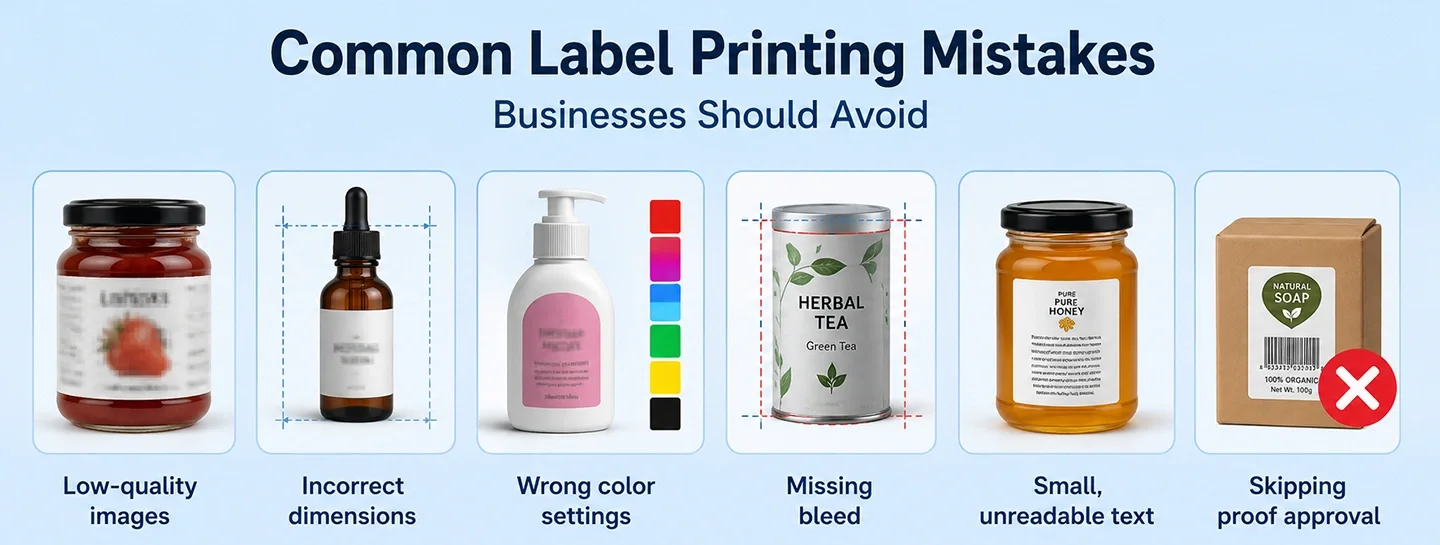
|
Packaging & Label Design: Common Mistakes & Their Impact |
|
|---|---|
|
Mistake |
Impact |
|
Low-quality images |
Blurry or unclear printing |
|
Incorrect dimensions |
Poor alignment |
|
Wrong color settings |
Unexpected color changes |
|
Missing bleed |
Uneven edges |
|
Small, unreadable text |
Poor customer experience |
|
Skipping proof approval |
Expensive production corrections |
Proper planning helps businesses avoid these issues and achieve professional results.
Printer Setup and Troubleshooting Tips
If the printer is not configured correctly, then even if you have a well-designed label, it will give you poor quality. Before starting the final print, check your printer settings. It will help you reduce any midway problems
Printer Setup Checklist
Before printing your labels, make sure you have completed the following:
-
Select the correct paper size to match your label sheet or roll measurements.
-
Choose the correct media type in your printer settings, such as Labels or Heavy Paper, to improve print quality.
-
Set the print scale to 100% (actual size) to maintain accurate label dimensions and alignment.
-
Load the labels in the correct direction according to your printer's instructions to avoid misaligned prints.
-
Before printing actual labels, print a test page on plain paper and compare it with the label sheet.
Troubleshooting Common Printing Problems
Even with proper preparation, printing issues can occasionally occur. Here are some common problems and practical solutions:
| Printing Problems & Solutions | |
|---|---|
| Problem | Solution |
| Labels are not aligned correctly | Verify the label template, check artwork dimensions, and ensure the print scale is set to 100%. |
| Paper jams during printing | Don't overfill the paper tray, and load sheets correctly. Try to print one sheet at a time for better quality. |
| Ink smears or toner does not adhere properly | Compatibility of a label with a printer type is very important. Make sure it allows drying time. |
| White borders appear around the label | Extend your artwork with a 0.125-inch (3 mm) bleed to achieve a clean edge after trimming. |
| Blurry text or graphics | Check your printer quality first and use 300 DPI prepared artwork. |
A few checking steps before printing can make your whole process very smooth. If you need help with your artwork preparation, LabelPouches is here to help you out.
Professional Label Printing Checklist
Before approving your final labels, review the following checklist:
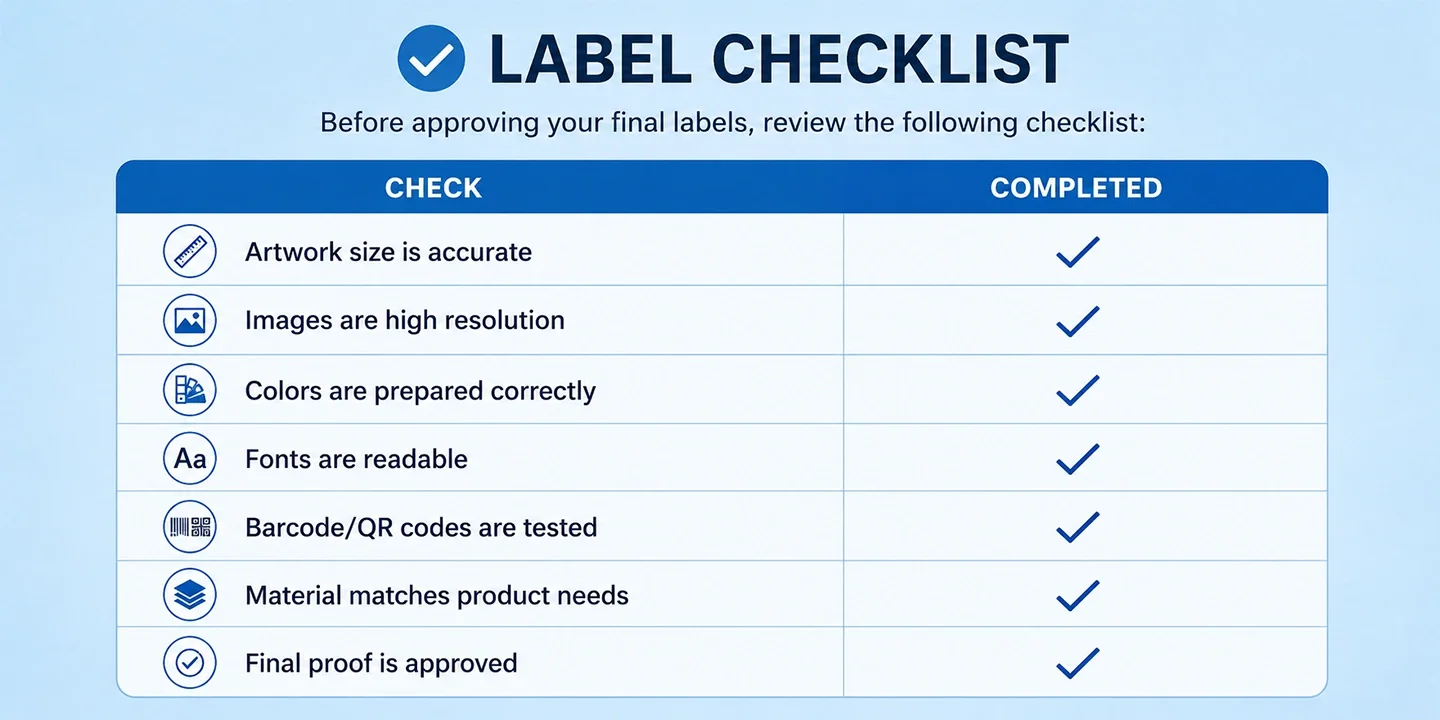
| Packaging Checklist | |
|---|---|
| Check | Completed |
| Artwork size is accurate | ✓ |
| Images are high resolution | ✓ |
| Colors are prepared correctly | ✓ |
| Fonts are readable | ✓ |
| Barcode/QR codes are tested | ✓ |
| Material matches product needs | ✓ |
| Final proof is approved | ✓ |
How Professional Label Printing Supports Your Brand
High-quality labels help businesses create a stronger connection with customers. A professionally printed label improves product presentation, builds trust, and ensures important information is displayed clearly.
For businesses, labels are not only packaging elements; they are a key part of marketing and customer communication.
Working with an experienced printing partner helps ensure:
-
Consistent quality
-
Accurate colors
-
Professional finishing
-
Reliable production
-
Better brand presentation
At LabelPouches, we help businesses create custom labels that match their packaging needs, branding goals, and product requirements.